

Printing looks different today than it did even a few years ago. Remote and hybrid work introduced new ways for employees to print and access documents, which means printing now happens across home offices, shared spaces, mobile devices, and cloud applications. Each location adds another access point that needs attention from a security standpoint.
Cloud print services have also become more common, bringing new questions about where data is stored, how long it stays there, and who can access it. At the same time, attackers have become more deliberate in targeting overlooked devices, and printers often fall into that category because they handle sensitive information but don’t always receive consistent oversight.

These changes have influenced how IT leaders view print security. According to Quocirca’s Print Security Landscape report, only 16 percent of decision-makers feel confident in their print infrastructure’s security, which shows how quickly the environment has shifted. Many IT teams are also watching how emerging technologies might affect their risk level. Sixty-two percent of IT leaders believe artificial intelligence could introduce new risks across their systems, printing included. As a result, organizations are taking a closer look at how documents move through their print workflows and whether those processes are prepared for a more distributed workplace.
These shifts also come with financial and compliance implications. As print environments become more distributed, the potential exposure of protected health information, financial records, or other sensitive data becomes higher. A single unsecured device or unmanaged home-office workflow can create gaps that lead to regulatory violations or legal action. For industries subject to HIPAA, FERPA, GLBA, or state privacy laws, the cost of a breach often far exceeds the investment in proper print governance. Strengthening print security reduces the likelihood of fines, litigation, and remediation expenses. It also helps organizations control wasteful printing, lower unnecessary output, and gain clearer insight into how documents move through the business. These efficiencies collectively create a measurable return on investment, especially for organizations with high document volume or strict compliance requirements.
This blog starts by outlining the five pillars of secure printing and then looks at how the print environment has changed, why these protections matter in 2026, and how stronger print governance helps reduce risk and support compliance.
Pillar 1: Authentication and Access Control
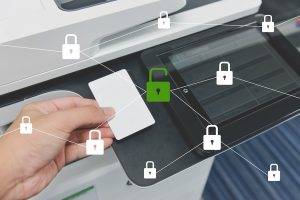
User authentication sits at the heart of secure printing. Without strong identity controls, any employee or visitor could walk up to a device and collect a printout that was never meant for them. Pull-print workflows solve this problem by requiring users to authenticate before the printer releases their documents.
Secure authentication also creates accountability. Every print job is tied to a confirmed identity, which supports compliance requirements and reduces internal misuse.
There is a practical benefit as well. When authentication is integrated naturally into daily work, employees trust the systems they use and are more likely to follow security best practices.
Many organizations now integrate print devices with identity platforms like single sign-on, multifactor authentication, smartcards, or mobile badge release. These methods make unauthorized access far more difficult, especially in environments with shared printers or high document volume.
Pillar 2: Encryption and Data Protection
When a user prints a document, the data moves across multiple points. It travels from the workstation or device, across the network, and into the print spooler before reaching the printer. If any point in that path is not protected, sensitive data becomes exposed.
This is why encryption plays such a significant role in secure printing. Encrypting data both in transit and at rest ensures documents remain protected even as they move across the network or temporarily reside on a print server.
With the rise of cloud-based print services, encryption has become even more important. Sixty-five percent of IT leaders say cloud security is one of their top concerns, which reflects the need for stronger controls over how and where print data is stored. Print workflows must now meet the same standard of protection as other cloud-connected systems.
Modern secure printing also includes firmware integrity checks, secure boot processes, and regular updates from device manufacturers. Printers today function like specialized computers, and they need the same level of ongoing maintenance to stay secure.
Pillar 3: Infrastructure Visibility and Monitoring
Businesses need a clear view of every device and every job moving through their print environment. This matters even more today because printing no longer happens only in the office. Many organizations now manage a mix of on-site printers, remote workers, and cloud-based print tools, which makes it easy for activity to slip out of sight.
Monitoring creates a record of who is printing, what they are printing, and how each device is being used. It helps teams spot issues early, such as a sudden jump in print jobs or attempts to access a device without permission. These signs often point to misconfigurations or possible security concerns that would go unnoticed without proper visibility.
Print logs and audit trails also support compliance requirements. They give businesses the ability to confirm that sensitive documents are accessed only by the right people, which is important in fields like finance, education, and healthcare.
Strong monitoring also improves incident response. If something goes wrong, teams can quickly trace the activity back to a specific user or device. This makes it easier to contain the problem, understand what happened, and restore normal operations with minimal disruption.
Pillar 4: Zero Trust Print Architecture
Zero trust starts with the idea that every request must be verified before it’s allowed. It assumes no device or user should be trusted by default, even if they are already inside the network. Every access request is verified and every workflow must abide by the principle of least privilege.
In a print environment, zero trust includes identity verification, network segmentation, authorization controls, and secure connections between devices. Given that only a small portion of organizations feel confident in their print security, zero trust offers a structured path to improving protection.
More businesses are beginning to include printers in their zero trust strategies instead of treating them as separate systems. This ensures that print workflows follow the same identity, logging, and control standards as other parts of the technology stack.

Pillar 5: Compliance and Cloud Print Governance
Many businesses must now comply with strict data-protection requirements, and printed information is part of that responsibility. Regulations such as HIPAA, FERPA, and state privacy laws require businesses to control access to sensitive data at every stage.
Cloud printing brings additional considerations. Organizations must know where print data resides, how long it remains accessible, and what protections safeguard it throughout the process. With 72 percent of IT leaders expecting cloud security concerns to grow, compliance around printed data will continue to be a priority.
Governance also extends to document retention and disposal. Secure printing includes clear rules for how long printed information should be kept and how it should be destroyed. Without these rules, sensitive documents can end up in recycling bins, storage rooms, or employee workspaces where unauthorized individuals could easily access them.
Practical Steps to Improve Print Security in 2026
There are steps businesses can take right away to strengthen print security. They focus on tightening control, improving visibility, and reducing unnecessary risks in day-to-day printing.
- Start with a print security review to identify every device, learn how people print documents, and spot areas that may need attention.
- Use authentication-based release printing so documents are collected only by the intended user.
- Apply encryption across print jobs and devices to protect data as it travels through the network.
- Add monitoring and logging to track device activity and flag anything out of the ordinary.
- Update policies for document handling and disposal so printed information is stored and destroyed properly.
- Make print devices part of the larger cybersecurity plan, rather than treating them as separate systems.
- Choose vendors with proven security practices, since strong security controls are now a key factor in user trust.
- Review cloud printing settings, including where data is stored and who can access it, to ensure they align with compliance needs.
These actions help reduce exposure, improve accountability, and make the print environment easier to manage from a security standpoint.

The Future of Secure Printing
Technology advancements will continue to shape how print environments operate. Artificial intelligence is expected to play a larger role, both in creating new threats and helping businesses detect suspicious activity more quickly. Seventy-three percent of organizations plan to refresh their print infrastructure at the same time they increase AI investments, which signals a period of rapid change.
Future print environments may rely more heavily on analytics, identity platforms, and cloud-based print servers. Secure printing will evolve alongside digital workflows, but the core principles will remain the same.
Where Secure Printing Goes From Here
Secure printing in 2026 covers a broader range of responsibilities than ever before. It now includes strong identity controls, encryption, monitoring, cloud governance, and zero trust principles that protect documents at every stage of their journey.
As workplaces adopt hybrid and cloud-based workflows, securing the print environment becomes a necessary extension of the organization’s cybersecurity strategy. By taking action now, businesses can protect sensitive information, reduce their exposure, and build a print environment that supports their long-term security goals.
About WCC
For nearly 50 years, WCC Business Solutions has been helping Tampa Bay businesses work smarter. From print and imaging to VoIP phone systems and video conferencing technology, we offer a full spectrum of solutions to support your team and streamline your operations.

Gordy Link is a leader in the office technology industry as the President and CEO of WCC Business Solutions. He is known for his commitment to customer-centricity and leveraging innovative training and development initiatives to deliver high-quality technology solutions. Outside of the office, Gordy enjoys spending time with wife and daughter, and indulging in his passion for the outdoors.
